Tiny Instrument · Compose · Songs
Practice real songs from any chord chart.
Paste a chord chart from anywhere — measure-based or chords-over-lyrics — and Tiny Instrument parses it into a structured practice session with karaoke-style lyrics, per-chord inversions, Roman numeral analysis, and two drill modes. Songs live in the Songbook and open directly into Practice mode.
Get Tiny Instrument freeSongbook
Your songs, always ready to practice.
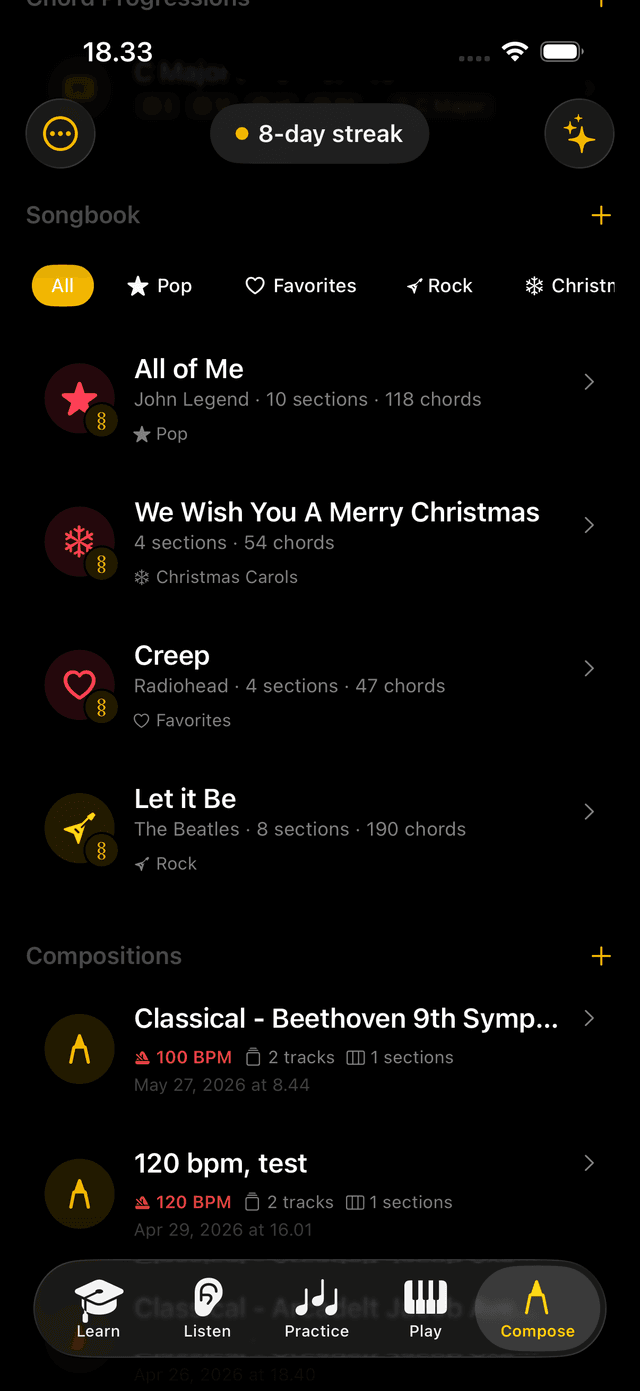
The Songbook stores your chord charts and syncs them across iPhone, iPad, and Mac via iCloud. Search by title, filter by category, and open any song straight into practice. Import by pasting a chart, or convert one of your Compositions directly — sections and chords carry over automatically as a starting point.
Song mode is free. Your first five songs are included. Saving more requires the Composition Studio content pack.
Smart parsing
Paste any format — it just works.
Chord charts come in all shapes: measure-based grids, chords above lyrics, plain text. Tiny Instrument reads them all, organises the result into named sections — Verse, Chorus, Bridge — and labels each chord with its Roman numeral in the key so you can read the harmony as you play. Any symbol it couldn't parse is flagged for quick review before you start.
Reference view
Follow the chord as it plays.
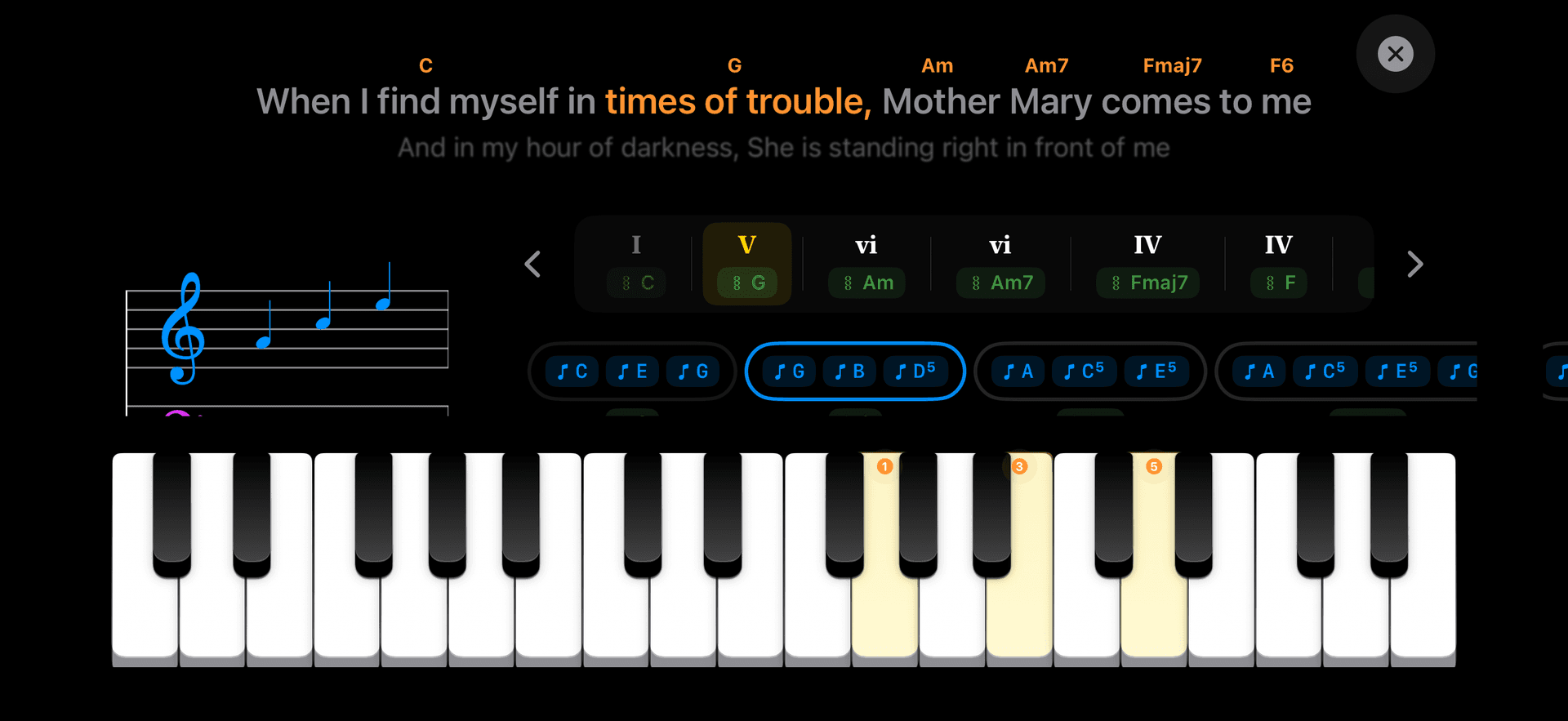
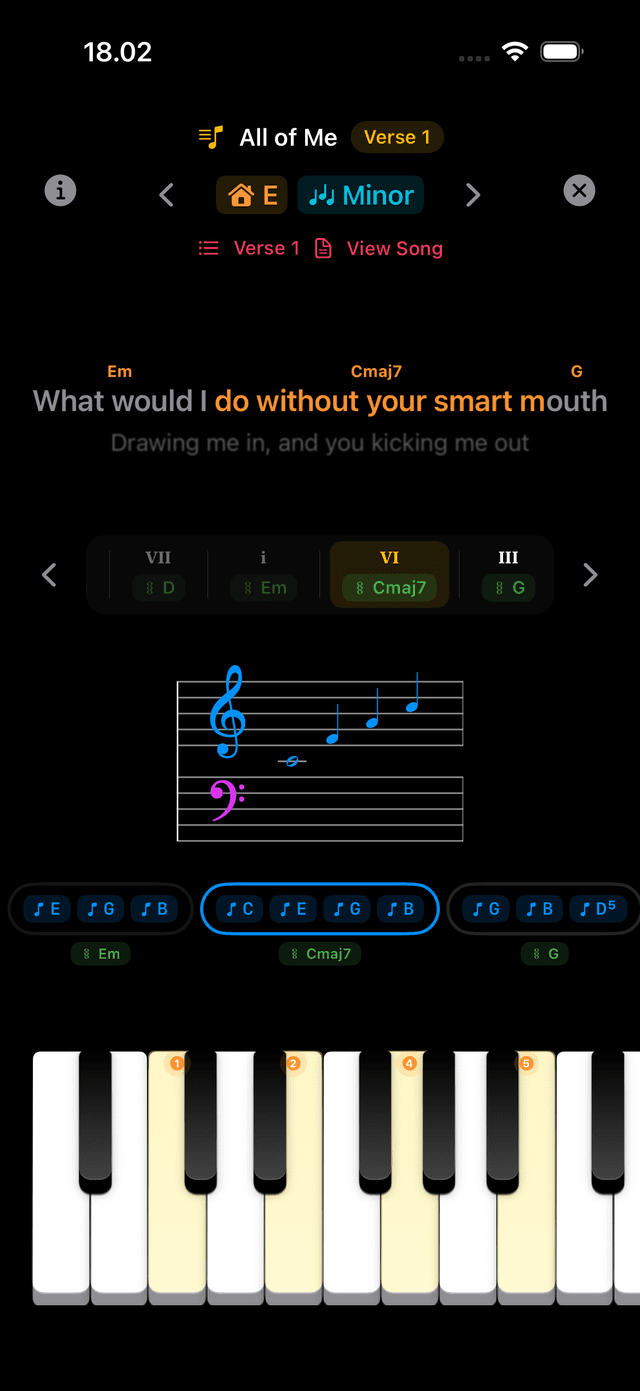
In reference mode, the current chord highlights and auto-advances as the backing track plays. Tap any chord to hear it and see the notes on the keyboard. Roman numerals show the chord's role in the key — I, bVII, IV. A section bar at the top puts every Verse, Chorus, and Bridge a tap away.
Drill modes
Drill any section with Chase the Notes.
Drill the whole song or pick a single section — Verse, Chorus, Bridge. Open it in Chase the Notes or Falling Notes and configure play mode (Block, Arpeggio, Strum), tempo goal, and hand split. Every Practice-mode mechanic that powers the built-in exercises applies directly to your song, note for note.
Lyric practice
Sing along as you play.
For songs that include lyrics, a karaoke-style overlay follows your practice in real time. Lines scroll through center-screen with a depth fade — one line of context on iPhone, two on iPad and Mac. The word in the active lyric line that aligns with the current chord is highlighted, and chord chips float above the line so you know what comes next.
All lyric options are opt-in — toggle each from the in-session Display panel or Settings → Practice.
Depth-fade scrolling
Previous and next lines fade toward the edges; the active line is always center, always dominant.
Active word highlight
The specific word that lines up with the chord you're playing is highlighted within the current lyric line.
Chord chips above the line
The chords for the current lyric line float as chips above it — see what to play without looking back at the chart.
Tap to jump
Tap any lyric line to jump practice to that line's first chord. On Mac, scroll the mouse wheel over the lyric block to step through lines.
Slash chords
Extended slash chords routed across both hands.
For slash chords with a seventh or extension — like Am7/G or D7/F# — the bass note goes to your left hand and the chord tones to your right. The tooltip and practice note strip label the L/R split, and the on-screen keyboard guide tints to match: purple for the bass, blue for the chord. Simple triad slashes stay as one shape.
Inversions
Pin the exact voicing you want.
Set a specific inversion for any chord in the chart — root position, first inversion, second inversion. The voicing carries through into Practice, so the keyboard guide and note strip always show the shape you intended, not just a default root-position chord.
Transpose
Practice in any key.
Change the key from the practice header and Tiny Instrument asks whether to transpose all the chords. Toggle "Save" on to persist the transposed version, or leave it off to practise in the new key for this session only. Cancelling reverts all chords instantly.
Everything in Song Mode
Automatic chart parsing
Measure-based or chords-over-lyrics, any format. Verse, Chorus, Bridge auto-labelled. Unrecognised symbols flagged before you start.
Chase the Notes drill
Race a moving highlight across chord names. Loops any section; waits if you miss, advances when you nail it.
Falling Notes drill
Chord notes fall toward the keyboard so you can connect chart reading with the physical layout.
Karaoke lyric practice
Depth-fade scrolling lyrics, active word highlight, chord chips above the current line, tap to jump.
Roman numeral analysis
Every chord labeled I, bVII, IV, etc. so you read the harmony as you play.
Interactive chord tokens
Tap any chord to hear it play and see the notes on the keyboard before you drill it.
Section jump bar
A bar above the chart puts every Verse, Chorus, and Bridge a tap away.
Slash chord hand split
7th/extension slashes (Am7/G) route bass to left hand, chord to right. Triads stay as one shape.
Per-chord inversions
Pin any inversion per chord; voicing carries into practice and the keyboard guide.
Transpose to any key
Change key mid-session; choose to transpose all chords and save or keep it session-only.
iCloud sync
Songbook syncs across iPhone, iPad, and Mac automatically.
Import from Composition
Convert any Composition into a song — sections and per-bar chord names carry over as a starting point.
Ready to practice your first song?
Free to download on iPhone, iPad, and Mac.