Tiny Instrument · Learn Music
Learn music: a journey
from first notes to real songs.
Tiny Instrument teaches music theory the way it should be learned — by playing, not reading. Interactive lessons, narrated guidance, and a sandbox to explore freely. Free to download and start.
How it works
Three ways to learn — all in one app.
Curriculum
A structured path through everything that matters.
Nine chapters take you from the keyboard layout through rhythm, scales, intervals, chords, progressions, harmony, and modes — each lesson building on the last. You always know where you are and what comes next.
The first chapter is completely free. Content packs unlock the full curriculum when you're ready to go deeper.
See what's free →Interactive
You learn music by playing music.
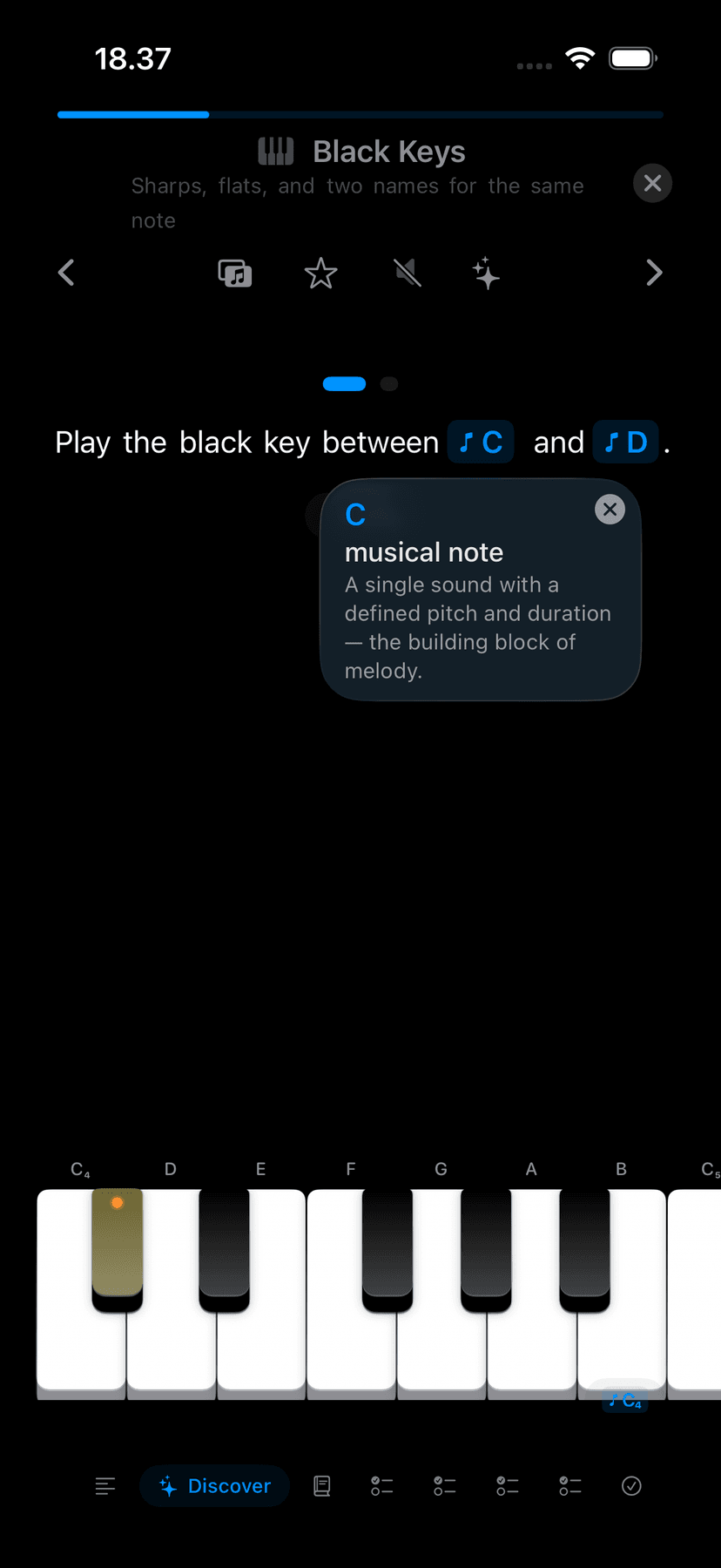
Every lesson is a sequence of interactive steps — read a short idea, play the notes on the keyboard, hear it respond. There are no passive videos or flashcards to click through. The theory clicks when your hands do the work.
Read
A short explanation sets up the concept — one idea at a time, never a wall of text.
Play
You play the notes yourself on the keyboard. Theory becomes muscle memory through repetition.
Hear
Every note and chord sounds as you play it. You learn what it feels like, not just what it looks like.
Advance
Play it right and the lesson moves forward. A wrong note gets a nudge, not a dead end.
Guided
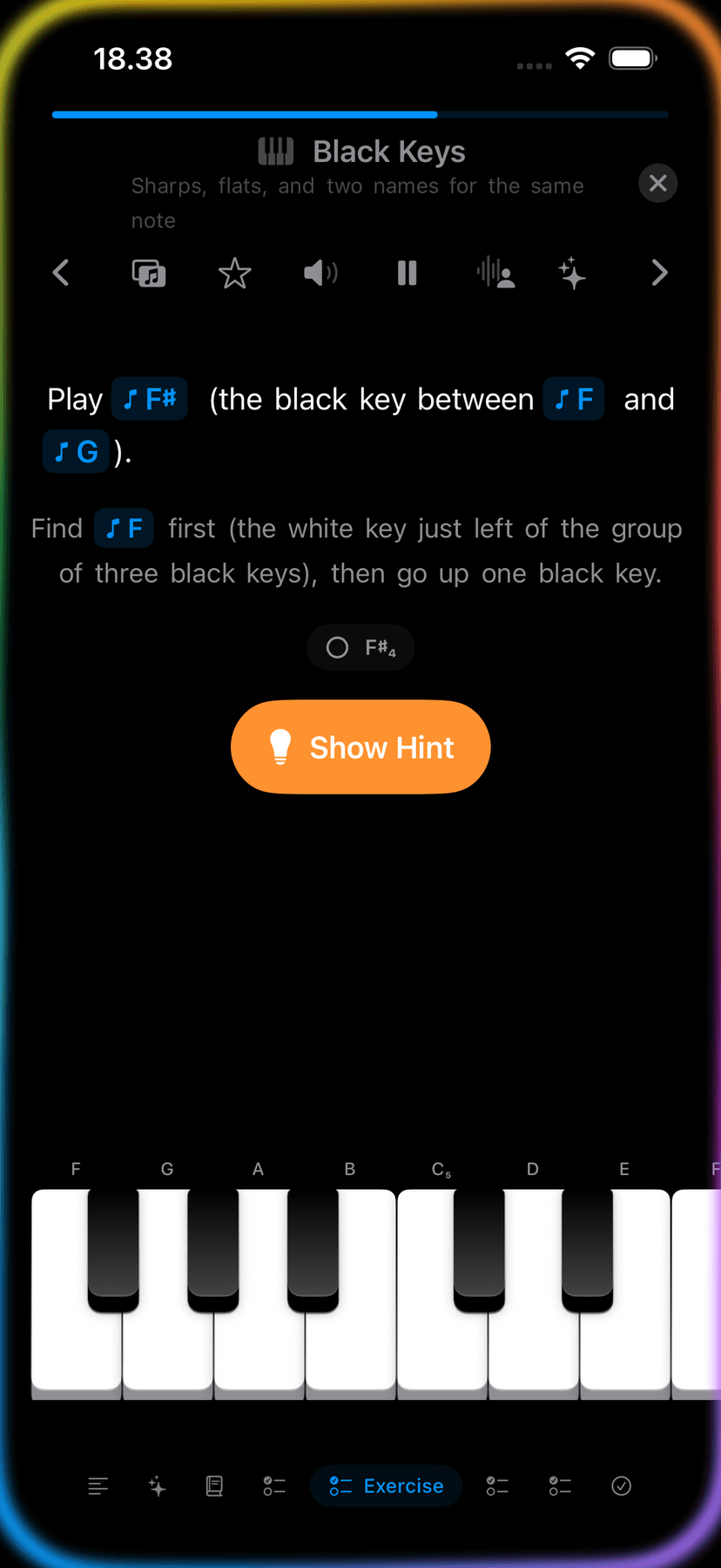
Narrated. Guided. Never a dead end.
Narration walks you through each step out loud — so you can follow along without reading. A wrong note gives you a gentle nudge, not a failure screen. Note labels are on by default so you always know which key is which.
Lesson progress is visible, completion is tracked, and you can revisit any step. Nothing is hidden, nothing requires guessing.
Sandbox
When theory needs to feel musical.
Alongside structured lessons, Play & Explore opens up scales, modes, chord shapes, and key reference in a hands-on sandbox — no lesson required. Hear the pentatonic scale under your fingers. Highlight a chord on the keyboard and see where the notes live. Play freely while the app names every chord you hold.
Play & Explore deep dive →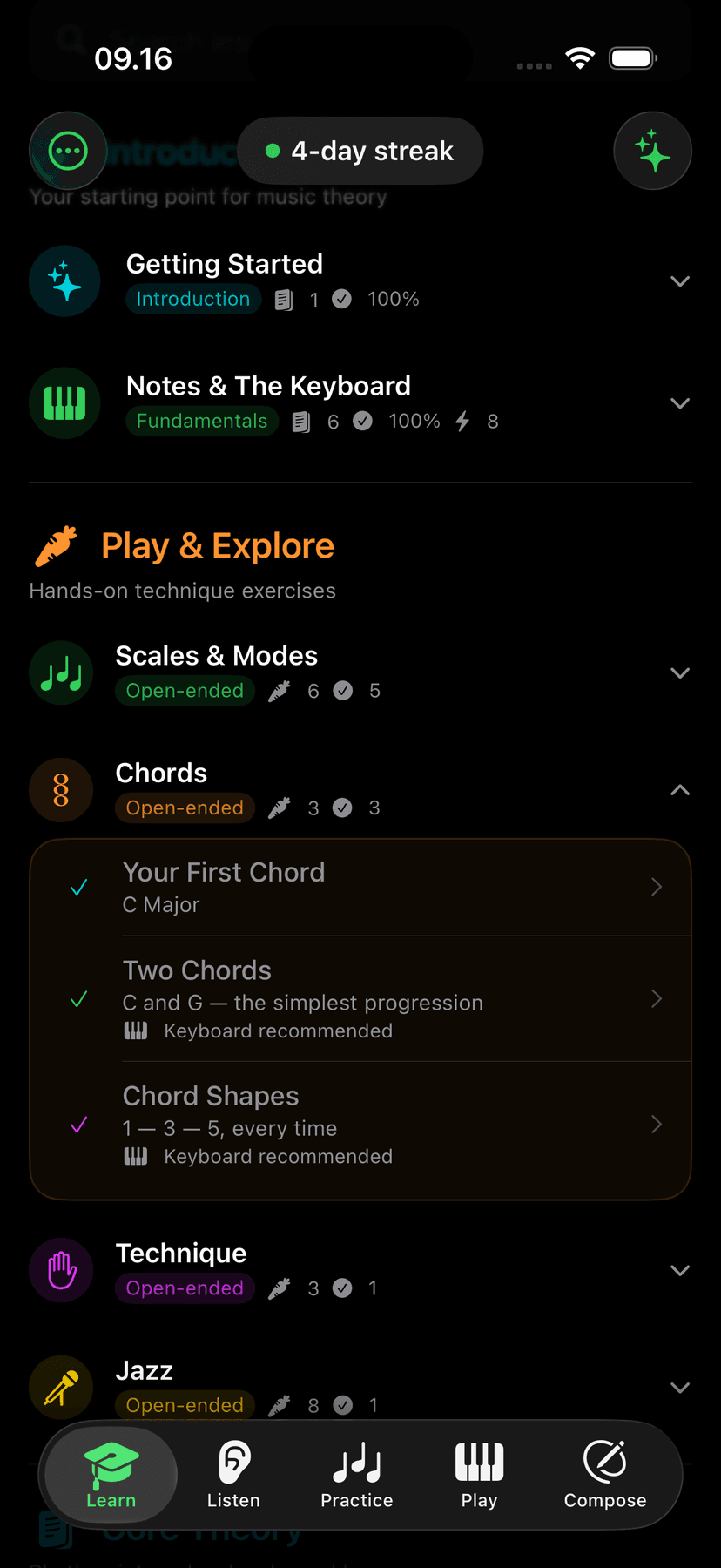
Practice
Practice until it sticks.
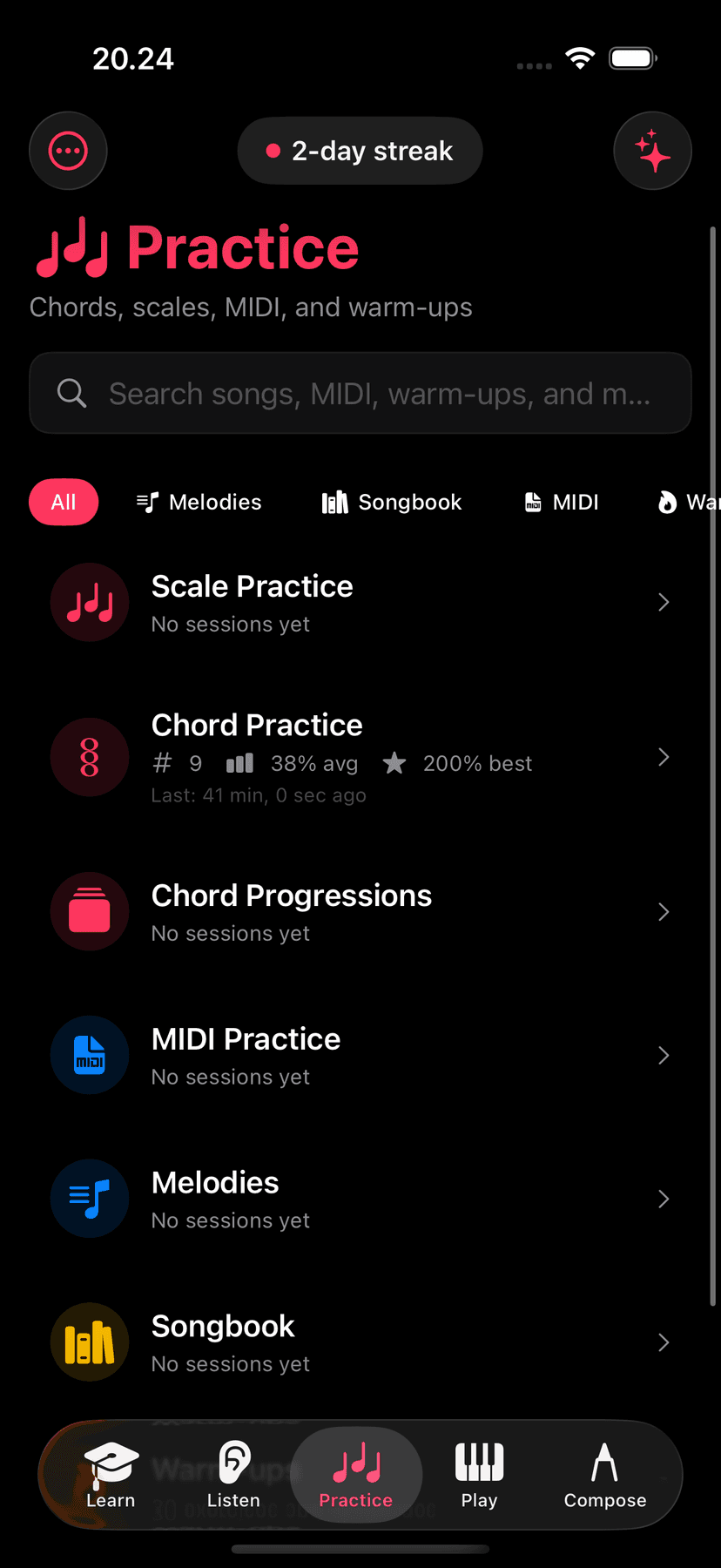
Understanding a scale is one thing. Playing it under your fingers is another. Practice mode gives you drills for scales, chords, and chord progressions — with BPM goals, hand-split options, Chase the Notes, and Falling Notes. Learn it in lessons, drill it in Practice.
Practice mode →Aria · AI music tutor
Any question, answered on device.
“Why does this chord progression sound tense?” “What makes a scale minor?” “Show me a pentatonic scale in D.” Aria runs on Apple Intelligence — private, on-device, always available. Ask anything you'd ask a music teacher.
Aria deep dive →Free to start
Start learning for free.
The first chapter, all Concepts, Play & Explore, and Aria are free. Unlock the full curriculum with content packs when you're ready to go further.