Tiny Instrument · Aria
Your music learning companion.
Ask anything about music theory. Get coaching tailored to where you are. Hear scales and chords played back. Aria runs entirely on-device with Apple Intelligence — private by design.
Get Tiny Instrument freeConversation
Ask anything. Get a real answer.
Aria understands music theory at the level you're working at. Whether you're confused about why a chord sounds tense, want to know what the Lydian mode is used for, or need a quick explanation of a key signature — ask in plain language and get a plain answer.
Theory questions
Intervals, modes, chord functions, progressions — whatever you're studying, ask it directly.
Hear it back
Ask Aria to play a scale, chord, or progression and hear it on the keyboard. Notes play one at a time at a steady tempo.
Coaching in context
Aria knows which lesson you're on and can suggest what to practice next or explain a concept from the lesson you just completed.
Conversation history
Aria remembers your last session. Reopen the chat and pick up where you left off — no repeating yourself.
In lessons
Aria in every lesson.
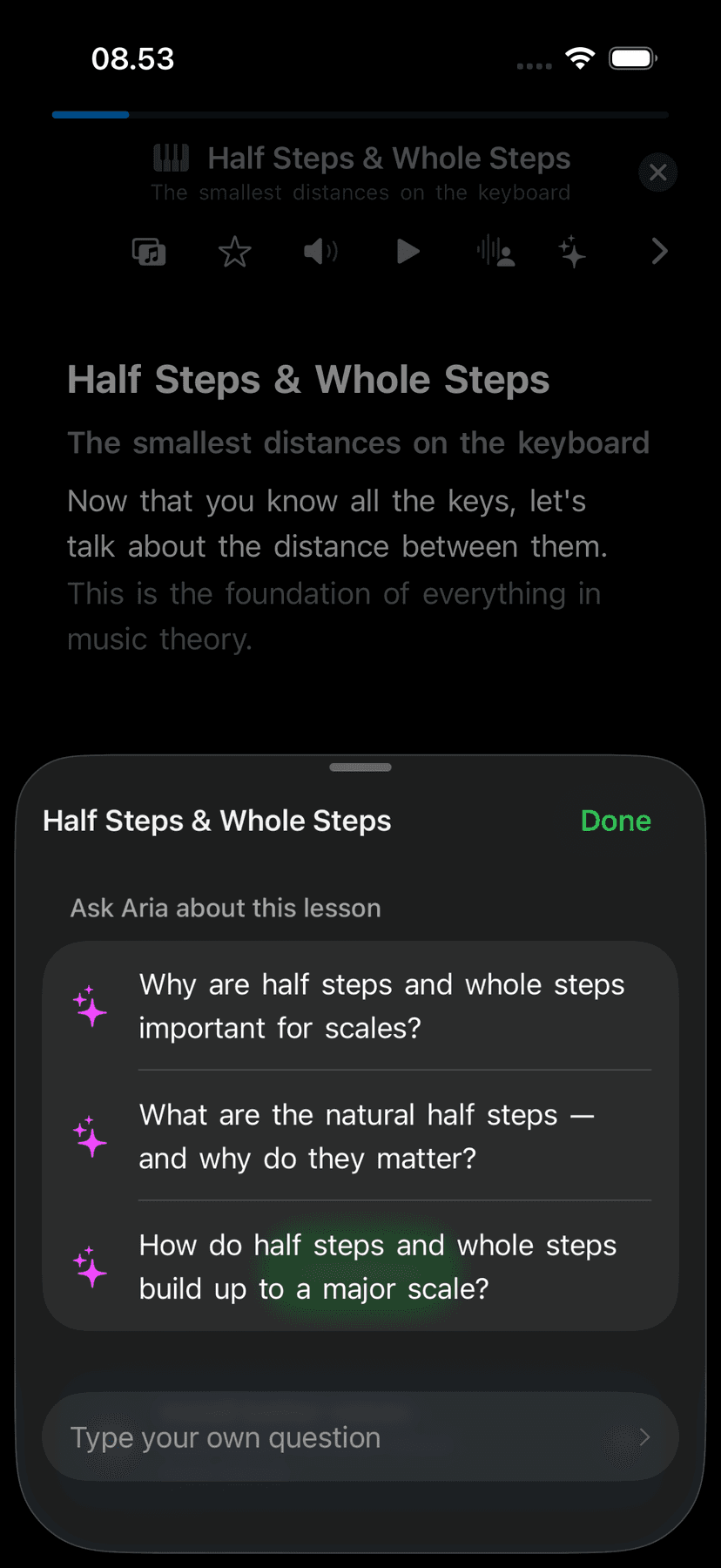
In Learn mode, a dedicated Aria button surfaces suggested questions about the current lesson — concepts like "What's the difference between a major and minor third?" or "Why does the V chord want to resolve?" You can also ask your own question at any time.
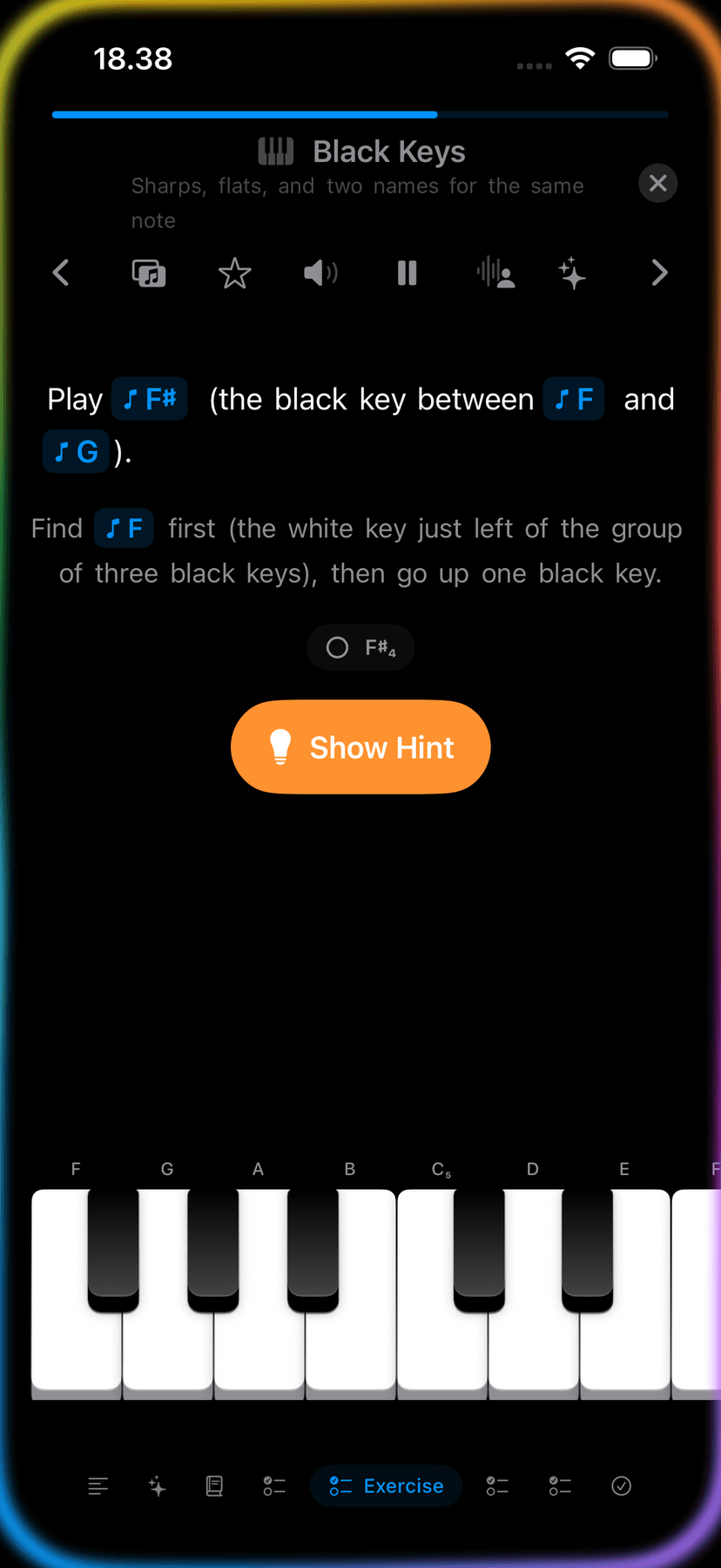
Narration in lessons is powered by Aria too — words highlight sentence by sentence as they're spoken, so you can follow along while listening.
Guide: Use Aria in lessons →Actions
More than answers.
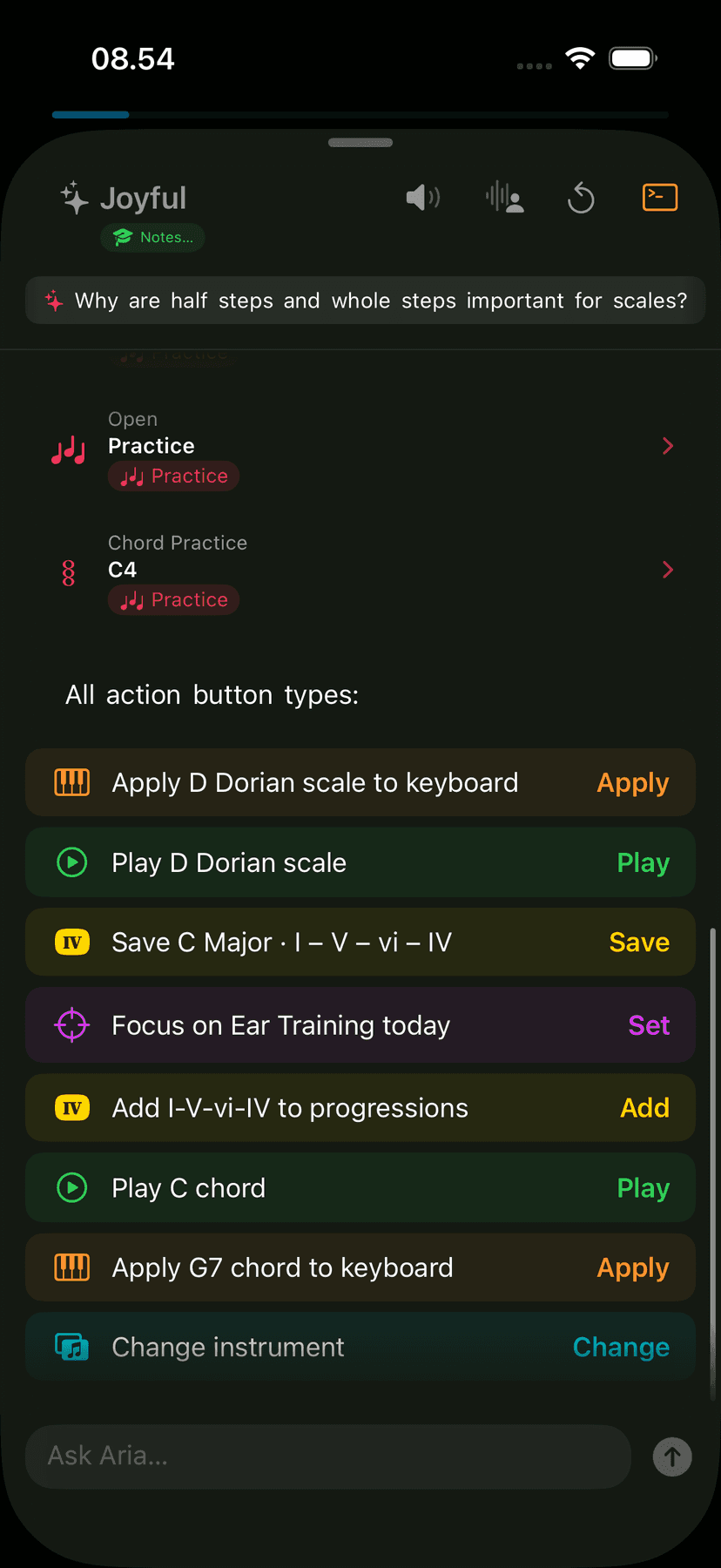
Aria doesn't just explain — it acts. Apply a scale to the keyboard, play a chord progression, save a progression to Compose, jump to a practice session. Actions appear as tappable chips at the bottom of Aria's reply.
Apply to keyboard
Apply any scale or chord directly to the on-screen keyboard in one tap.
Play back
Hear a scale, chord, or progression played note by note at a steady tempo.
Save progression
Save any chord progression Aria suggests directly to your Compose library.
Jump to practice
Aria can open a practice session for any scale, chord, or exercise it mentions.
Apple Intelligence
On-device. Private by design.
Aria uses Apple Intelligence, which runs entirely on your iPhone, iPad, or Mac. Your conversations and practice data never leave your device. No account, no cloud processing, no data sharing.
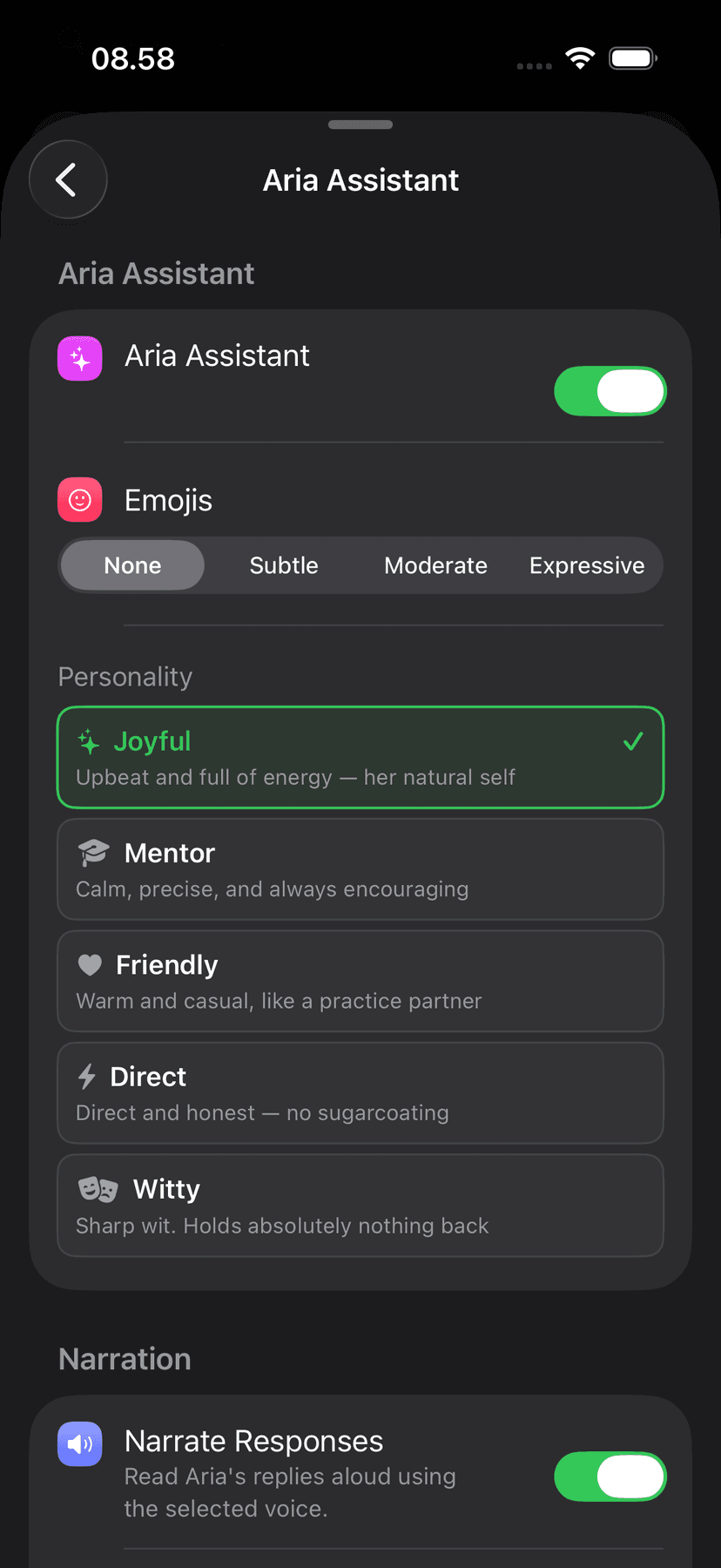
You can customise Aria's personality, response style, and narration to suit how you learn — concise answers, detailed explanations, or somewhere in between.
Guide: Configure Aria →Nav cards
Jump straight to where you need to go.
When Aria recommends a lesson, practice session, or mode, it surfaces a nav card you can tap to go there instantly — without closing the conversation or hunting through the app.
Action shortcuts
One tap to apply, play, save, or set.
Action buttons let Aria do things directly — apply a scale to the keyboard, play a chord, save a chord progression, change the instrument, or set your daily practice focus. No extra steps.
Lesson questions
The right questions, already written for you.
Open Aria from inside a lesson and it shows pre-written questions that fit the exact concept you're studying. Tap one to ask it, or type your own — Aria has the full lesson context.
Ask Aria about this lesson

Step-by-step guides
Ready to try Aria?
Free to download on iPhone, iPad, and Mac. Requires Apple Intelligence.