Tiny Instrument · Keyboard Themes
12 finishes for your keyboard.
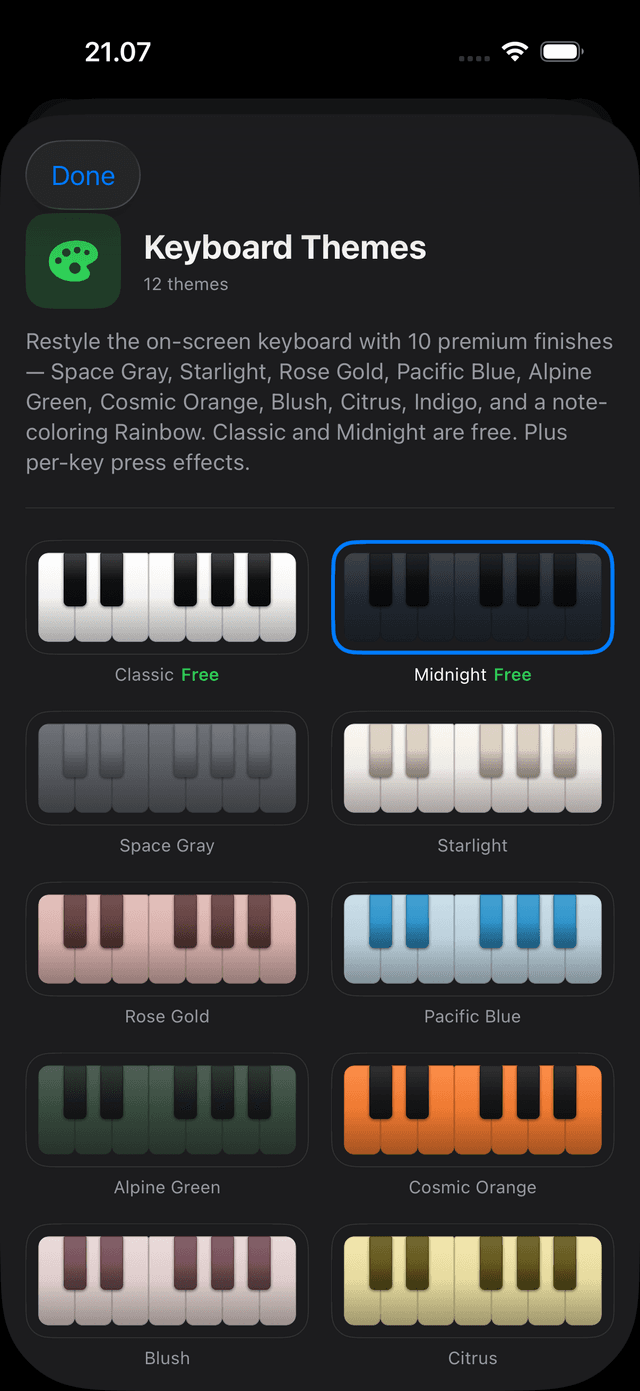
Classic and Midnight are always free. Unlock 10 premium finishes — Space Gray to Rainbow — plus key-press effects and a reactive border, for $1.99. Every theme runs all the way through the keyboard: shadows, highlights, fingering badges, and the scale-degree strip all recolor.
Get Tiny Instrument freeThe themes
Pick from a swatch grid, preview live.
The theme picker in Settings → Keyboard Theme shows a one-octave swatch for each finish. Tapping a free theme applies it instantly. Tapping a locked premium theme previews it live — the keyboard repaints in real time — then reveals an Unlock button if you want to keep it.
Free
Premium — $1.99
Full overlay theming
The theme goes all the way down.
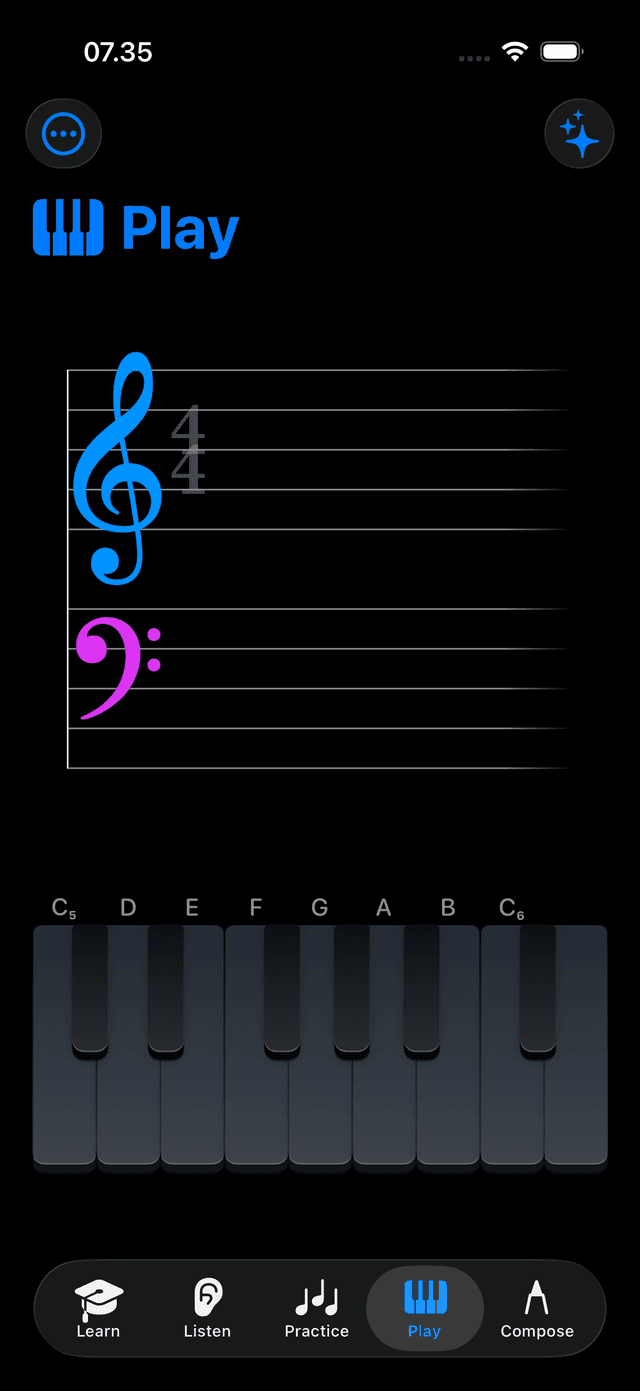
Keyboard Themes aren't just a key color — every detail repaints. Key shadows use a darkened version of the key's fill. Scale-guide highlight tiers re-tier. Fingering badge backgrounds update, with text that automatically picks a light or dark color for legibility. The scale-degree strip tints to match.
Key shadows
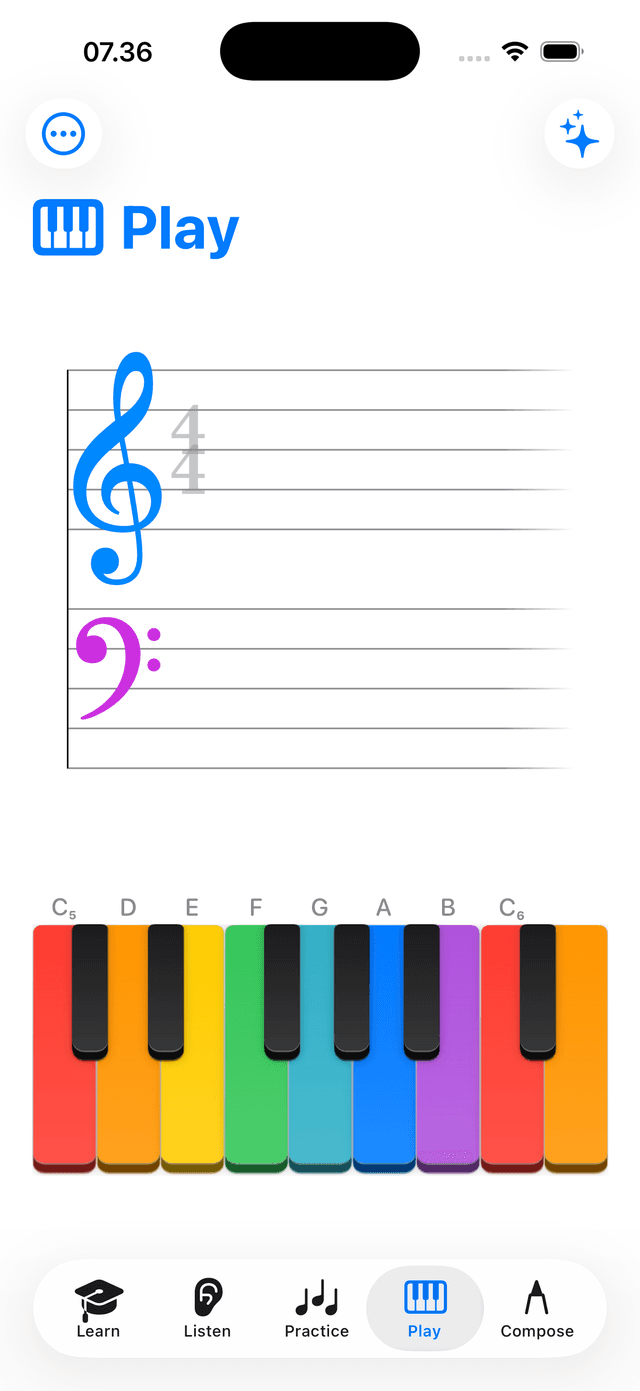
Each key's drop shadow uses a darkened version of the key's own fill, so Rainbow keys cast colored shadows instead of black.
Scale highlights
Guide highlight tiers, hand-split tints, and fingering badge backgrounds all adapt to the active theme — no static overrides.
Degree strip
The scale-degree strip tints to match the active theme on the main keyboard. App-wide degree colors stay unchanged.
Rainbow
Color as a learning tool.
Rainbow colors each pitch class with an Apple system color — C is red, D is orange, E is yellow, and so on. Chord shapes and scale patterns start to read by color before your ear has them. A great complement to note-name labels.
Key press effects
Effects under your fingers.
Four key-press styles fire when you hold and release a key. Every style shares the same lifecycle: a soft glow while the key is held, continuous particles, then a burst on release. Bundled in the $1.99 Keyboard Themes pack. Off by default. Reduce Motion caps to a single static flash.
Stardust
A snake trace runs the key border while held — Aria's Continue-button animation, per key. On release, an outward sparkle dispersal bursts from the key.
Sparkle
Continuous twinkle particles float above the key while held. Release fires an outward sparkle burst.
Splash
Fluid drips run down the key while held. Release triggers a ripple and droplet splash.
Flash
A soft color pulse tints the key while held. Release pops a bright flash from the key.
Border effects
A reactive border that plays with you.
Five border styles animate around the keyboard: Glow, Sweep, Rainbow, Shimmer, and Reactive Only. Reactive Only is the most musical — it ramps the border intensity with the number of notes you're holding and their velocity, so playing a loud chord flares it and silence lets it rest. Free; off by default.
Classic + Midnight, always free.
Two finishes are free forever — no purchase, no unlock. The $1.99 Keyboard Themes pack adds 10 premium finishes and all four key-press effects. It's also included at no extra cost in the Full Library bundle, and granted free to early adopters.
Free forever
Classic and Midnight — no purchase needed.
Keyboard Themes — $1.99
10 premium finishes + all key-press effects. One-time purchase.
Included in Full Library
Full Library owners get Keyboard Themes at no extra cost.
Make the keyboard yours.
Free to download. Themes from $1.99.